Your Meta account can look healthy while the measurement layer underneath it is subtly failing. Spend rises. Clicks still come in. Campaigns keep learning. Then purchase reporting drifts, retargeting pools stop behaving normally, and ROAS no longer matches what your business sees in the cart, checkout, or CRM.
That’s usually when a proper facebook pixel audit moves from “nice to have” to urgent. Not because the pixel is old technology, but because the environment around it changed. Browser restrictions, consent controls, tag manager complexity, single-page apps, and server-side implementations all create new failure points. If your event data is wrong, Meta optimizes on the wrong signals. That’s how decent creative and solid media buying still produce disappointing outcomes.
A good audit is less about checking boxes in Events Manager and more about validating whether your measurement system can still support budget decisions. You’re not just asking whether the Meta Pixel fires. You’re asking whether the right event fires, on the right action, with the right parameters, once, and in a way that can still be matched and attributed.
Why Your Facebook Pixel Needs a Health Check in 2026
Organizations frequently start asking hard questions after performance drops. They see higher spend, softer efficiency, and inconsistent conversion reporting between Meta, site analytics, and back-office systems. In many cases, the problem isn’t audience quality or ad fatigue first. It’s broken or degraded tracking.
The core issue is simple. Browser-side measurement lost reliability after privacy shifts like iOS 14.5+ App Tracking Transparency. Meta advertisers responded by pairing pixel tracking with server-side delivery through Conversions API. According to Uproas on Facebook ads statistics, 35–60% of active advertisers have adopted CAPI alongside the pixel, and that hybrid setup can recover 10–40% more conversions by restoring signals lost to browser restrictions and ad blockers.
That changes what a health check means. A few years ago, some teams could get by with “the tag is present, so we’re fine.” That’s no longer enough. You need to know whether browser events are being blocked, whether consent rules are suppressing too much or too little, and whether your server-side flow is sending events Meta can use.
What a weak setup looks like in practice
A weak implementation usually shows up in one of these ways:
- Retargeting pools feel too small: Product viewers or cart users don’t build into usable audiences.
- Purchase optimization looks unstable: Meta shifts delivery in ways that don’t line up with real sales patterns.
- Revenue is either inflated or depressed: Duplicate purchase fires and missing checkout steps both distort reporting.
- Diagnostics stay ignored: Warnings in Events Manager pile up, but nobody ties them back to budget decisions.
Practical rule: If your paid social team and analytics team disagree on whether tracking is “mostly fine,” assume it needs an audit.
Why this is a business process, not a tag check
A facebook pixel audit protects decision quality. If your event stream is incomplete, Meta’s delivery system learns from noise. If your purchase event is duplicated, campaigns may appear stronger than they are. If key parameters are missing, catalog ads, dynamic retargeting, and value-based optimization all weaken.
The financial risk isn’t abstract. Bad data changes bids, audience building, attribution, and reporting. It also creates governance risk when consent logic or personally identifiable information handling is sloppy.
In 2026, the right question isn’t “Do we have a pixel?” It’s “Can we trust the signals feeding optimization?”
First Steps Discovering Your Tracking Implementation
Before you validate a single event, you need an inventory. Most failed audits start too late in the process. Teams open Events Manager, inspect a few recent events, and assume they’re looking at the full picture. They usually aren’t.
The first job is discovery. Find every place Meta tracking exists across the site, app webviews, checkout environment, third-party tools, and server-side paths. Old hardcoded snippets, plugins, agency leftovers, and duplicated tag manager containers are common causes of tracking drift.
Build a tracking inventory before touching Meta
Start with a plain spreadsheet or tracking document. List each digital property and answer five questions:
- Where is the Meta Pixel deployed?
- Is it hardcoded, delivered via GTM, injected by a plugin, or sent through another platform?
- Which pixel IDs appear?
- Which events are browser-side and which are server-side?
- Which source should own each event?
This step surfaces a surprising amount of clutter. Many companies run one intended pixel and one forgotten pixel from a prior agency, storefront template, or lead-gen tool. Others send browser events from GTM while a commerce platform also injects the same event automatically.
If your team doesn’t already have a documented tag management strategy, fix that before making broad tracking changes. Ownership matters. Without it, every fix risks creating a second implementation instead of replacing the first.
Use the browser to locate hidden implementations
You don’t need a complicated toolkit for the first pass. Open the site in Chrome and inspect:
- Page source and developer tools: Search for
fbq, pixel IDs, and event names. - Network requests: Filter for Meta-related requests while navigating the site.
- Tag manager containers: Check which tags fire on page load versus interaction.
- Third-party app scripts: Review whether ecommerce plugins or form tools are injecting events outside your main container.
What you’re looking for isn’t just presence. It’s overlap. One PageView from the intended container may be fine. Two PageView events from separate scripts are not.
If you can’t explain where an event comes from, you shouldn’t trust it in reporting.
Cross-check Meta against your site analytics
Once you know where tracking should live, open Events Manager and perform a basic sanity check. A key audit step is filtering for the last 7 days and comparing reported event volumes with site analytics. As described by Digital Aimz in its Facebook pixel audit guide, this simple comparison often exposes broken pixels, unverified domains, and installation failures that show up as red signals in the health dashboard.
Don’t expect exact parity between systems. Different platforms count differently. But you should expect directional alignment. If site analytics shows healthy product traffic and Meta barely records ViewContent, something is broken. If Meta reports strong add-to-cart activity while your analytics platform barely sees those actions, investigate duplication.
Inspect the data layer, not just the pixel
A mature audit doesn’t stop at the tag. The primary source of truth is usually the data layer or equivalent event object your site exposes to tags and server destinations.
Review whether it contains stable values for:
- page type
- product identifiers
- cart contents
- transaction value
- currency
- order reference
- user consent status
If the data layer is messy, the Meta Pixel can only be messy faster. Wrong values downstream usually start upstream. That’s why discovery isn’t busywork. It tells you whether your measurement model is coherent before you start validating event output.
For deeper grounding on how data specifications should work across tools, Trackingplan’s YouTube video “What is a Tracking Plan?” is worth watching from their channel. It’s a useful way to align marketing, analytics, and engineering around one implementation document instead of scattered assumptions.
Validating Standard Events and Page Loads
Once the implementation map is clear, move into hands-on testing. At this stage, many facebook pixel audit projects stop too early. Teams confirm that events fire and miss the more important question: are they firing correctly?
That distinction matters. Agency audits cited by Turundusjutud’s Facebook ads audit guide found that 40-60% of initial setups have parameter problems such as duplicate or missing values on standard events, often caused by tag manager misconfigurations. Those errors can drive 2-3x higher CPA because Meta optimizes on flawed signals.

Test the funnel as a user, not as a tag manager admin
Run a clean browser session and simulate a normal customer journey. Use Meta Pixel Helper, browser developer tools, and the Network tab. If your team needs a refresher on debugging in the extension itself, this guide on using Meta Pixel Helper for ad tracking is a useful reference.
Work through the site in order:
- Landing or category page: Confirm
PageViewloads once. - Product detail page: Validate
ViewContent. - Cart interaction: Trigger
AddToCart. - Checkout entry: Trigger
InitiateCheckout. - Order confirmation: Validate
Purchase.
The point is to test the user journey, not just static pages. Many setups behave normally on page load but fail on cart drawers, AJAX interactions, modal checkouts, or route changes inside single-page apps.
What good validation looks like
For each event, inspect three things.
Event presence
The event should fire on the intended action and only on that action. A product page should not emit AddToCart before the user clicks anything. A thank-you page reload should not create repeated Purchase events.
Parameter completeness
Open the request payload and inspect the key fields. For ecommerce, pay close attention to:
- value
Does it match the user-visible price or order total your implementation is meant to send? - currency
Is it the correct currency code every time? - content_ids
Do the identifiers match your catalog or product data structure? - event source context
Does the page URL and page context make sense for the event?
A common bad pattern is a valid event name with empty or generic parameters. Meta receives “Purchase,” but the value is blank, the currency is inconsistent, or the product IDs don’t map to the feed. The event exists, but it’s weak.
Duplication and timing
Check whether the event fires once or multiple times. Watch the network sequence. Repeated requests from page scripts, GTM triggers, and embedded apps often stack on top of each other. Also watch for delays. An event that fires long after the action may still appear in diagnostics while causing poor attribution behavior.
Working rule: Never mark an event “validated” until you’ve checked name, trigger, parameters, and duplication.
A practical validation sequence
When I audit ecommerce setups, I usually keep the test flow tight:
StageWhat to verifyCommon failureProduct pageViewContent fires once with stable product identifiersWrong IDs or duplicate fire from template and GTMAdd to cartClick triggers AddToCart only after interactionEvent tied to page load instead of clickCheckout startInitiateCheckout appears at the real start of checkoutFires on cart page regardless of intentPurchaseEvent appears only on confirmed order completionRefresh or revisit creates another purchase
That table won’t catch every issue, but it catches the failures that most often distort campaign optimization.
What doesn’t work
A few habits produce false confidence:
- Checking only Pixel Helper: It’s useful, but it won’t explain every parameter issue or duplicate source.
- Testing only one happy path: Coupon flows, multi-currency checkouts, subscriptions, and guest checkout may behave differently.
- Approving events from staging logic: Production templates, consent tools, and payment redirects often change behavior.
Use real user flows and inspect actual payloads. If your tags are technically firing but semantically wrong, Meta still learns from bad input.
Auditing Your Server-Side Setup and Event Matching
A browser-only setup is now the fragile version of Meta tracking. The stronger model pairs browser events with server-side events and then verifies that both streams represent the same user action without double counting.
That’s where most advanced audits separate from basic ones. Sending Conversions API events isn’t enough. The implementation has to reconcile browser and server signals cleanly, especially around high-value actions like Purchase, Lead, or CompleteRegistration.
The core concept is deduplication. A user completes one purchase. Your browser sends one purchase event. Your server sends one purchase event. Meta merges them into one usable signal because both carry the same event_id.
Read the event as a three-part system
Think about one purchase in three layers:
LayerWhat should happenWhat breaks itBrowser eventPixel sends Purchase from the thank-you flowBrowser block, consent suppression, duplicate front-end firingServer eventBackend or server-side tag sends the same purchaseLate dispatch, bad payload, missing identifiersMeta deduplicationBoth are merged through matching logic and event_idDifferent IDs, mismatched event names, timing mismatch
When any layer fails, you either lose conversions or inflate them.
A stronger hybrid setup performs better than pixel-only implementations in privacy-focused environments. According to Cometly’s post on Facebook tracking pixels, hybrid setups achieve 85-95% event match rates versus 50% for pixel-only. The same source states that 65% of audits uncover rogue events or schema mismatches that can inflate attribution by 15-30% if validation is weak.
What to inspect inside Events Manager
Open the event diagnostics and drill into the events that matter most for optimization. Don’t spread effort equally across every event. Start with revenue and lead events.
Check for:
- Deduplication status: Browser and server versions of the same event should resolve into a clean single signal.
- Event ID consistency: The same action must carry the same unique ID across both delivery paths.
- Parameter alignment: Event name, value, currency, content fields, and user data handling should stay consistent.
- Unexpected server volume: If the server sends more purchases than the site generates, your backend trigger is probably too broad.
Here’s the practical test. Complete one transaction. Capture the browser-side event in the browser. Then inspect the corresponding server-side event. If the two entries don’t share a deduplication path, your setup is sending parallel truths instead of one coherent signal.
Validate the server path directly
A serious audit also leaves Events Manager and looks at the implementation source. Depending on your stack, that means reviewing a server GTM container, backend event handler, commerce platform connector, or middleware layer.
Look for these patterns:
- Mismatched event naming between browser and server
- Fresh IDs generated separately instead of sharing one event ID
- Delayed server dispatch after redirects or payment settlement
- Fields present in one path and absent in the other
- Consent logic applied only on the browser side
A lot of teams discover that the browser event is carefully managed while the server event comes from a plugin or integration nobody has audited since launch.
For a more implementation-focused explanation of the mechanics, this article on Facebook Conversions API is a helpful technical companion.
Later in the audit, it also helps to review a live walkthrough. Trackingplan’s YouTube video below shows the kind of QA process that makes server-side validation easier to operationalize across teams.
Browser and server events should reinforce each other. If they compete, your attribution becomes less trustworthy, not more.
A Field Guide to Fixing Broken Facebook Tracking
Audit findings are only useful when they translate into clean fixes. The right fix depends on the symptom. Many teams patch the visible problem and leave the root cause untouched. They suppress a duplicate tag in GTM while a platform plugin still fires the same event. They fix one purchase payload but ignore that the consent layer is blocking another event stream.
Use the issue pattern to decide the remedy.
Common Facebook Pixel Errors and Solutions
ProblemSymptom in Events ManagerCommon CauseSolutionDuplicate Purchase eventsRevenue and purchase counts look inflated or inconsistentBrowser tag, plugin, and server event all fire for the same order without clean deduplicationRemove overlapping triggers, assign one source of ownership, and ensure browser and server events share the same event_idMissing ViewContent or AddToCart eventsProduct engagement looks far lower than expectedTemplate changes, broken selectors, or SPA route changes prevent triggersRebuild triggers around stable page state or interaction logic, then retest the full user pathPurchase fires on page refreshAdditional conversions appear without new ordersThank-you page logic executes every time the page reloadsGate the event behind an order-complete condition that only runs onceWrong value or currency parametersReported revenue doesn’t align with commerce recordsData layer values are stale, formatted incorrectly, or unavailable at fire timeSource values from the confirmed transaction object and validate formatting before dispatchEvent appears without contextEvent name is present but optimization quality is weakMissing content_ids, incomplete product metadata, or inconsistent schemasStandardize event payloads and map parameters to the same source across templatesNo events after consent decline or acceptTracking behaves unpredictably by jurisdiction or user stateCMP logic is suppressing too broadly or not passing consent state correctlyTest consent states directly and map each state to explicit tag behaviorPotential PII leakDiagnostics or governance checks raise privacy concernsQuery parameters, form fields, or backend payloads pass user data that shouldn’t be sentAudit payload fields, remove sensitive values, and validate the same rule in browser and server paths
Fix the cause, not the symptom
Some failures are mechanical. Others are architectural.
- Mechanical issues include broken selectors, bad trigger conditions, and malformed parameters.
- Architectural issues include split ownership, undocumented plugins, multiple event sources, and no naming standard.
- Governance issues include consent misfires and data leakage.
If you only fix the first category, the account will break again on the next release.
The fastest fix isn’t always the cheapest fix. Rewriting ownership rules often saves more time than patching the same event every sprint.
Pay special attention to privacy and consent
Consent and PII reviews should be part of every facebook pixel audit. A technically complete implementation can still be unacceptable if it sends data without honoring user choices or if it leaks values that should never enter ad platforms.
Review live payloads under different consent states. Accept tracking. Decline tracking. Revisit with changed preferences. Confirm that behavior changes as intended in both browser and server-side flows.
If your paid media team needs stronger process support around campaign execution after tracking cleanup, outside specialists in PPC services can help align media operations with measurement reality. That’s especially useful when the account structure itself has been shaped around unreliable conversion data.
How to Automate Your Facebook Pixel Audits
Manual audits are still necessary. They’re just no longer sufficient.
A modern website changes constantly. Developers ship code. marketers launch landing pages. plugins update. server-side connectors get adjusted. Consent tools change behavior by region. Every one of those actions can alter tracking without anyone noticing until reporting breaks.
That’s why a one-time facebook pixel audit should become a continuous monitoring process. Agencies feel this pressure the most because they inherit many stacks at once. According to AGrowth on troubleshooting Meta ads pixel mismatch, 70% of agencies report revenue undercounts from untagged campaigns, and Meta API v20’s stricter deduplication exposes gaps in an estimated 60% of hybrid implementations. The same source notes that automated platforms detect rogue tags and PII leaks in real time, while manual audits miss most issues.
What automation changes
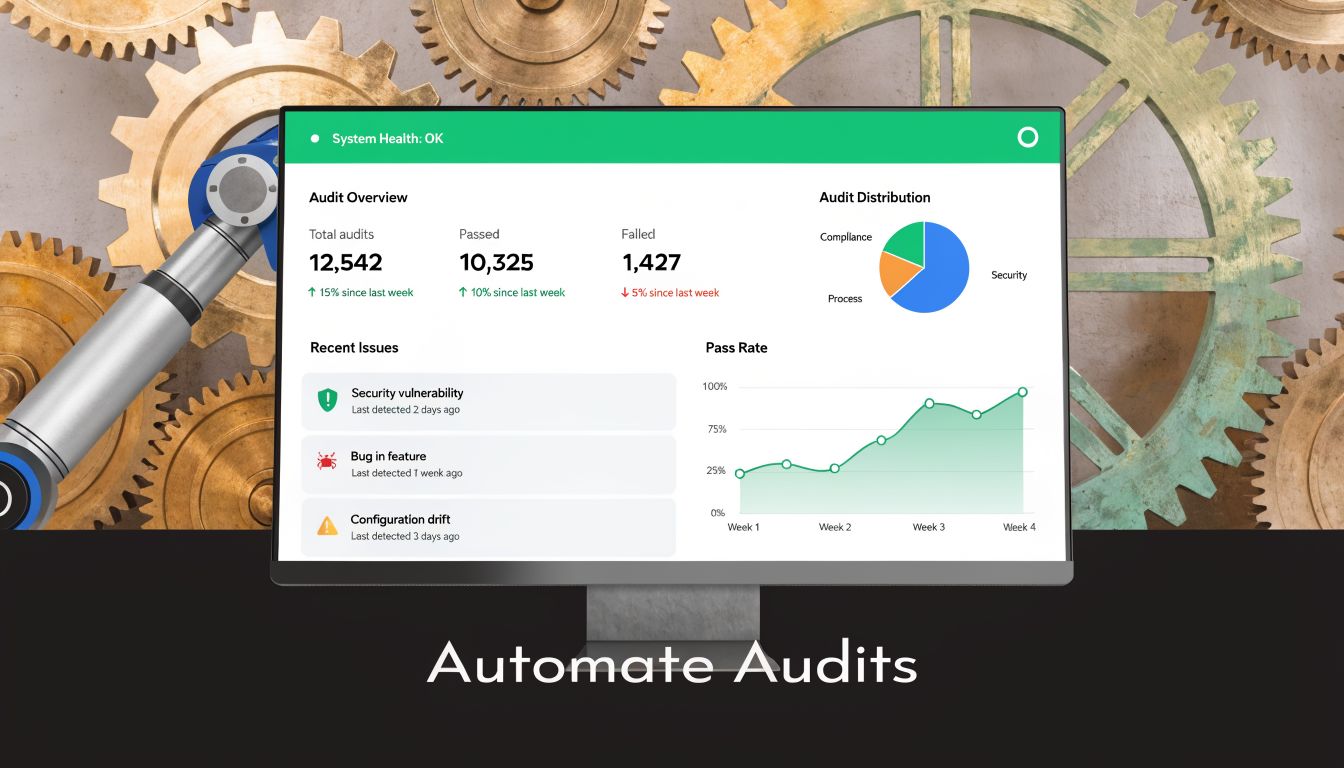
Manual QA is episodic. Someone tests a path, signs off, and moves on. Automated observability changes the timing. Instead of asking “Is the pixel still working this month?” you ask “Did anything change since yesterday’s deployment?”
That shift matters because many failures aren’t dramatic. A parameter changes format. A rogue tag appears on one template. A campaign goes live without proper tagging. A server event keeps sending after a browser event was removed. These aren’t always visible in dashboards right away.
An automated data integrity layer can:
- Discover implementations continuously: It maps tags, data layer fields, and destinations instead of relying on stale documentation.
- Validate events against expected schemas: Missing, renamed, or malformed parameters get flagged quickly.
- Catch rogue pixels and consent problems: That includes tags added outside approved workflows.
- Alert teams when behavior changes: Slack, email, or other alerts move detection closer to the release that caused the issue.
What to look for in a monitoring workflow
The useful version of automation isn’t just “more alerts.” It’s controlled validation tied to a tracking plan.
A practical setup should answer these questions:
Monitoring needWhy it mattersWhich events changed recently?Prevents silent breakage after releasesWhich parameters are missing or malformed?Protects optimization qualityDid a new tag appear?Catches unauthorized or accidental implementationsIs consent behavior consistent?Reduces privacy riskAre browser and server events still aligned?Protects deduplication and attribution
Trackingplan is one option in this category. It continuously discovers martech implementations, validates events and parameters, detects rogue tags, and alerts teams about issues like missing events, schema mismatches, UTM errors, consent problems, and potential PII leaks. That’s a different operating model from periodic spreadsheet-based audits.
For teams that want to see the workflow before changing process, Trackingplan’s YouTube video “How to Automate your Analytics QA” is the right next watch from their channel.
The practical trade-off is straightforward. Manual audits give you depth at a point in time. Automated monitoring gives you coverage between audits. Most mature teams need both.
If your team is tired of discovering broken Meta tracking after budget has already been spent, take a look at Trackingplan. It gives analysts, marketers, developers, and agencies a way to monitor analytics and pixel quality continuously instead of relying on periodic manual checks.