Clicks are coming in. Spend is moving. Search terms look fine. Then you open Google Ads and the conversion column is empty, delayed, or obviously wrong.
When google ads conversion tracking not working is the problem, practitioners often waste time in the wrong place. They rewrite ad copy, rebuild landing pages, or blame lead quality before checking the plumbing. In practice, broken measurement usually comes from a short list of failures: wrong conversion setup, missing click identifiers, unpublished GTM changes, consent blocks, or attribution logic that hides real outcomes.
The fix is to debug in order. Start inside Google Ads. Then move into Google Tag Manager. Then test privacy and consent behavior. Only after that should you treat it as an advanced architecture issue. That sequence saves time, keeps developers focused on the right problem, and stops you from changing campaigns based on bad data.
Why Your Google Ads Conversions Have Vanished
The worst version of this problem is simple. Campaigns are spending money, users are clicking, forms are being submitted or sales are happening, and Google Ads reports little to nothing. That usually triggers the wrong conversation. Teams start asking whether the market changed, whether the offer stopped working, or whether leads suddenly got worse.
A lot of the time, the ads are not the main issue. The tracking is.
Standard Google Ads conversion tracking is projected to miss 30 to 50% of actual conversions in 2026 due to cookie restrictions and privacy changes, according to this analysis of Google Ads tracking problems. That gap shows up because ad blockers stop scripts, consent platforms block cookies, browsers break user journeys across devices, and long sales cycles fall outside the default attribution window. If your CRM shows more customers than Google Ads, that’s no longer unusual.
Practical rule: Treat the Google Ads interface as a reporting layer, not your source of truth during troubleshooting.
That’s why strong operators separate campaign management from measurement validation. If your team needs a more structured process around account setup, budgets, and performance governance, this guide on strategic PPC campaign management is a useful complement to the technical checks below.
There’s another reason panic is a bad response. Most tracking failures aren’t random. They leave clues. If conversions vanished after a site release, a consent banner rollout, a CRM handoff change, or a GTM update, you can usually isolate the break with a methodical review.
Enhanced matching can help in some setups, but only after the fundamentals are stable. If you’re evaluating that layer, Trackingplan’s guide to enhanced conversions for Google Ads is worth reading after you confirm the base tag, click ID preservation, and conversion action logic are correct.
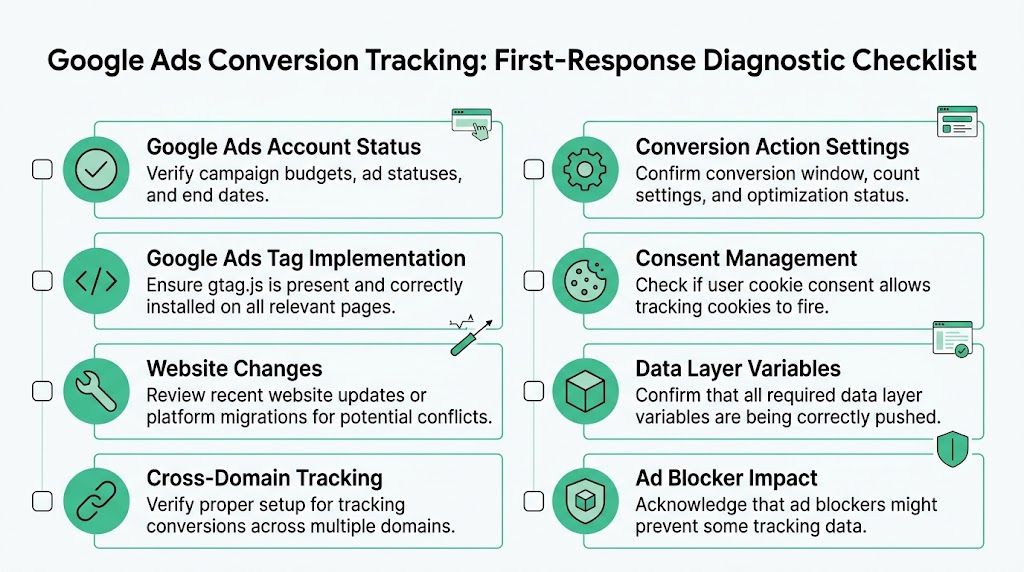
Your First-Response Diagnostic Checklist
Most broken accounts don't need a deep forensic audit on day one. They need disciplined triage. The first pass should answer three questions fast:
- Is Google Ads configured to receive valid conversion data?
- Is the ad click identifier surviving the landing experience?
- Are you optimizing toward the right action?
Start in the account, not the tag
Google Ads conversion tracking depends on the GCLID, the Google Click ID, being preserved. A 2025 analysis of 500+ account audits found that 73% of tracking failures fell into five predictable categories, with GCLID-related issues as a primary culprit. That's why the first checks are simple and unforgiving.
Use this sequence:
- Confirm auto-tagging is on. Go to Google Ads admin settings and verify auto-tagging is enabled. If it’s off, Google isn’t appending the click identifier consistently.
- Click a live ad and inspect the landing page URL. You’re looking for the
gclidparameter. If it appears and then disappears after redirect, you’ve already found a likely cause. - Check the final URL path. Redirects, vanity URLs, and middleware often strip parameters. Marketing teams usually miss this because the page still loads normally.
- Review whether the conversion action exists inside Google Ads. If you’re relying on a GA4 import and never created the Google Ads conversion action properly, you can end up with activity elsewhere but no usable optimization signal in Ads.
If the click ID doesn’t survive the first page load and the redirect chain, nothing downstream matters.
Audit the conversion actions like a skeptic
A lot of accounts are “tracking conversions” but still feeding Google the wrong signal. That’s not a reporting issue. That’s an optimization issue.
Brightclick’s write-up on Google Ads conversion tracking mistakes notes that approximately 90% of advertisers who experience zero leads despite receiving ad clicks are dealing with tracking mistakes, often because they track the wrong conversion actions. If you count page views, time on site, or other engagement events as conversions, Google can optimize for shallow behavior instead of sales intent.
Here’s the short version of what to inspect:
- Conversion category: A lead form should be a lead event, not a page engagement proxy.
- Primary action setting: Make sure the action you care about is the one eligible for bidding and reporting logic.
- Value logic: Use realistic values. If every action has the same arbitrary number, smart bidding gets a blurry signal.
- Phone call setup: Use a minimum duration of 60+ seconds if call quality matters, as recommended in the verified data above.
- Count setting: Leads and purchases should not always use the same counting rule. Check what makes sense for the business model.
Common Google Ads tracking symptoms and root causes
| Symptom | Likely Cause | Where to Check |
|---|---|---|
| Clicks are rising but conversions stay at zero | Auto-tagging disabled or GCLID stripped | Google Ads account settings, landing page URL, redirect behavior |
| Conversions appear in CRM but not in Google Ads | Attribution break, wrong conversion action, or import mismatch | Google Ads conversions, CRM mapping, landing page parameters |
| Conversions suddenly stopped after changes | GTM update, website release, or consent behavior change | GTM versions, deployment history, consent configuration |
| Conversion counts look inflated | Duplicate firing from overlapping actions | Google Ads conversion list, GTM triggers, thank-you page logic |
| Ads optimize but lead quality is poor | Engagement events set as conversions | Conversion action definitions and bidding setup |
| Some journeys track, others don’t | Cross-domain or redirect parameter loss | Domain handoff points, conversion linker behavior, URL persistence |
If you need a broader framework for checking campaign setup alongside measurement, performing a comprehensive Google Ads audit helps put the tracking review in the context of bidding, targeting, and account hygiene.
What works and what usually doesn't
What works is checking the account with the attitude that at least one “basic” setting is wrong until proven otherwise.
What usually doesn’t work is jumping straight into JavaScript debugging because someone said “the tag fired once in preview.” A firing tag is not the same as a valid, attributable conversion. First confirm the click identifier, the conversion action, and the business event being counted. Then move deeper.
Debugging Tags and Triggers in Google Tag Manager
Once the account-level checks pass, Google Tag Manager becomes the main workbench. There, you can stop guessing and watch the implementation behave in real time.
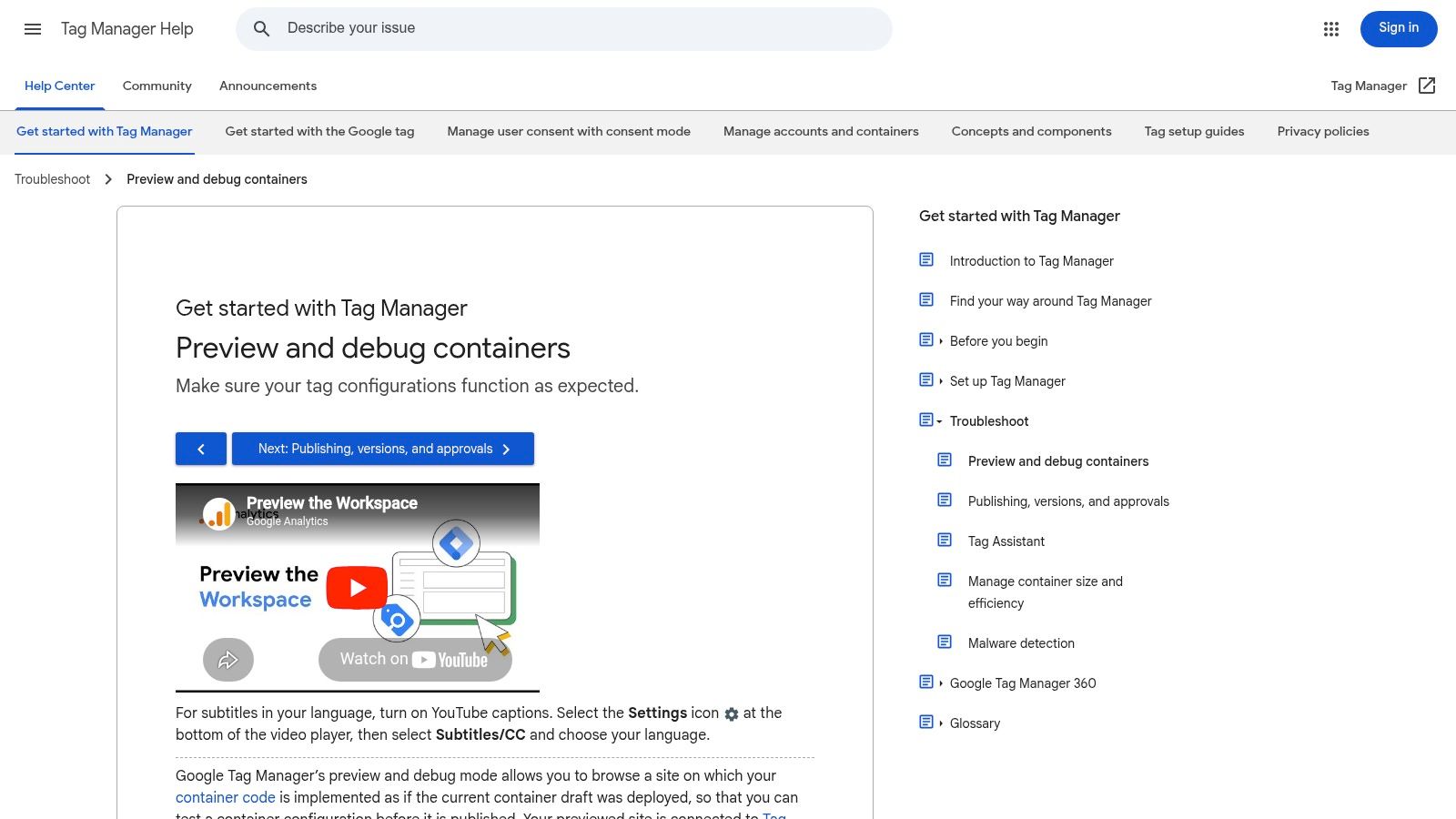
Start with GTM Preview mode. Recreate the user journey from ad click to conversion. Don’t test a direct visit and assume it proves anything about Google Ads attribution. Use a live ad click when possible, then follow the exact path a real user takes.
The first GTM checks that catch most problems
The single most common GTM mistake is painfully mundane. Someone makes the fix, validates it in Preview mode, and never publishes the container. The RW Digital troubleshooting write-up calls out the GTM container publishing lifecycle as a critical failure point, because changes in Preview mode remain invisible to visitors until published.
Check these in order:
- Workspace changes: If the Google Ads conversion tag, trigger, or variable is still sitting in workspace changes, the site is still running the old version.
- Container versions: If tracking broke on a specific date, compare the version published just before and just after the drop.
- Tag firing count: The conversion tag should fire once for the intended event. Not zero. Not twice.
- Trigger logic: Review the actual conditions. A trigger that looked right in a ticket often fails in production because the event name, selector, or page condition changed.
- Conversion linker or Google Tag behavior: Make sure click information can be persisted across the journey.
A tag that fires in the wrong place is often worse than a tag that doesn’t fire. At least a missing tag is obvious.
How to inspect the journey like a practitioner
In GTM Preview, don’t just look at the final conversion event. Walk the whole session.
First, confirm the landing page captured the ad click context. Then inspect intermediate events, especially form starts, step changes, AJAX submissions, and thank-you states. Many broken setups fail because the event pushed into the dataLayer no longer matches the trigger name in GTM after a frontend update.
A practical workflow looks like this:
- Open Preview and connect to the site.
- Click the ad or recreate the ad-click URL path.
- Check the landing page event. Make sure the URL and parameters look intact.
- Complete the conversion path. Watch the left event stream in Tag Assistant.
- Select the conversion event and inspect variables. Confirm the expected values exist when the tag tries to fire.
- Inspect the fired tags panel. Your Google Ads conversion tag should appear exactly where you expect it.
If you want a deeper operational view of how teams document and monitor GTM changes over time, Trackingplan’s article on data observability with Trackingplan and Google Tag Manager is a useful reference.
What to look for in the dataLayer
A lot of “tag issues” are really dataLayer issues. The trigger waits for generate_lead, but the site now sends lead_generated. Or the purchase value moved from one key to another after a redesign. Or the thank-you component became an SPA state change, so the old pageview trigger never happens.
Look for:
- Event naming drift: Frontend teams rename events without realizing GTM depends on exact strings.
- Missing values: Conversion value, transaction reference, or form outcome status may no longer be present.
- Timing issues: The event fires before the required variables are available.
- Redirect collisions: The tag fires right before navigation and never completes cleanly.
A visual walkthrough helps here, especially for teams that don’t live in GTM every day. Trackingplan’s YouTube channel has relevant debugging material, and this embedded video is a solid companion while you test your own setup:
The unwritten rules inside GTM
There are a few habits that separate stable implementations from brittle ones.
- Name tags and triggers clearly. “GA tag final v2” tells nobody what the tag does.
- Avoid thank-you page dependence if the site is changing fast. Event-based tracking is often more resilient than URL-only logic.
- Keep one conversion action mapped to one real business event. Don’t let multiple tags or page states represent the same outcome unless you control deduplication carefully.
- Document the trigger source. If a developer changes the frontend event, you should know which GTM assets are affected.
When google ads conversion tracking not working turns into a recurring issue, the pattern is usually not “Google is broken.” It’s that the GTM setup was treated like a one-time install instead of a live system that changes with the site.
Navigating Advanced Tracking and Privacy Roadblocks
Some accounts pass every obvious test and still underreport badly. That’s when privacy controls, consent behavior, and architecture choices become the key issue.

Consent Mode can look correct and still block attribution
Post-2025 EU changes made this harder. According to the verified data from this video on 2026 conversion issues, recent consent mode changes affecting server-side tracking and cross-platform discrepancies account for 19% of issues, and common fixes often miss nuanced denials involving ad_storage and ad_user_data.
This is the part many teams get wrong. They see “granted” somewhere in a banner platform or tag template and assume Google Ads should work. But the consent state that matters has to be visible where tags execute and where attribution data is passed.
Use GTM Preview’s Consent tab and inspect the exact state changes during the session. Don’t just test the happy path after clicking Accept. Test the default state, the update event, and the sequence before conversion.
Consent debugging is about timing as much as state. If consent updates too late, the click context may already be gone.
If your team is validating implementation details across analytics and ad tags, this guide to implementing Consent Mode for GA4 helps align the consent logic with actual tag behavior.
Browser restrictions change what “working” means
Modern browser controls don’t always break tracking in a visible way. They degrade it. The tag may fire. The page may load. But the link between ad click and conversion becomes incomplete.
That creates a practical trade-off:
- Browser-side simplicity: Easier to deploy, faster to test, more fragile under privacy restrictions.
- Server-side resilience: Better control over data collection paths, more implementation effort, and more moving parts to validate.
Teams often jump to server-side tagging expecting a magic recovery. It can improve resilience, but only if the consent design, identifier handling, and event mapping are correct. Otherwise you just move a broken setup to a different layer.
Cross-domain journeys are where clean setups go sideways
A common advanced failure is a user journey that starts on one domain and converts on another. The ad click reaches the site, but the handoff drops the identifier or resets the session context. The marketer sees “some conversions” and assumes tracking mostly works. In reality, only one journey type is surviving.
Check these handoff moments carefully:
- Main site to checkout domain
- Landing page to booking engine
- Form on one domain, thank-you page on another
- Embedded third-party experience inside an iframe
If you can simplify the journey architecture, do that before adding more tooling. A same-domain thank-you state is usually easier to track accurately than a multi-domain redirect maze.
Server-side is useful, but only for the right reasons
Server-side tagging helps when browser-side collection is getting blocked, when you need tighter governance over what gets sent where, or when multiple platforms need consistent routing. It does not fix bad conversion definitions, missing click IDs, or broken consent sequencing on its own.
When I review privacy-heavy setups, the cleanest implementations usually share three traits:
- They validate consent before claiming the tags are broken
- They preserve identifiers through redirects and handoffs
- They compare ad-platform data against backend reality instead of trusting one dashboard
That last point matters because privacy issues rarely fail in a dramatic way. They fail selectively. Certain browsers, regions, and paths lose attribution while others keep it. Unless you test those paths deliberately, the account can look “mostly fine” while bidding on partial data.
Verifying Data Accuracy and Attribution Models
A tag firing is only the first hurdle. The harder question is whether the conversion data is trustworthy enough to drive bidding decisions.
The biggest mistake I see after a technical fix is relief. Teams see conversions return in Google Ads and assume the job is done. But if the wrong action is counted, if duplicates exist, or if the attribution model hides late conversions, the account is still being optimized on distorted data.
Working tracking can still be bad tracking
The verified data from Brightclick’s review of common mistakes highlights a key point. Approximately 90% of advertisers who experience zero leads despite receiving ad clicks are affected by conversion tracking mistakes, and one major issue is tracking the wrong actions, which pushes Google’s algorithm toward browsing behavior rather than real sales outcomes.
That’s why every account needs a source-of-truth comparison. Usually that means:
- Google Ads for media reporting
- CRM or sales system for actual business outcomes
- Site-side analytics for journey diagnostics
When those three disagree, don’t ask which dashboard you like more. Ask where the measurement breaks.
If your CRM says the lead exists and Google Ads doesn’t, the problem is attribution or capture. If Google Ads shows more than the CRM, the problem is usually duplication or event definition.
Trackingplan’s article on how to verify conversion tracking is a good checklist for teams that need a formal validation process across platforms.
Attribution windows hide legitimate outcomes
Google Ads uses a default 30-day click attribution window, based on the verified data provided earlier. That matters more in B2B, high-consideration purchases, and any process where a lead converts into a sale well after the original click.
If a prospect clicks an ad and closes later than that window, Google Ads can miss the outcome even when the business counts it as influenced revenue. This is why short-platform reporting and long-cycle sales data often tell different stories without either system being “wrong.”
Use a simple review approach:
| Data question | What it usually reveals |
|---|---|
| Google Ads conversions lower than CRM closed deals | Lost attribution, click ID breaks, or attribution window limits |
| Google Ads conversions higher than CRM leads | Duplicate firing, low-quality conversion definitions, or imported event mismatch |
| Campaign performance swings after attribution setting changes | Model sensitivity rather than real market change |
| High conversion volume but poor pipeline quality | Wrong primary action being optimized |
The conversion action should reflect business value
Not every measurable event deserves to be a primary Google Ads conversion. A PDF download, scroll depth event, or generic page engagement can be useful for analysis, but giving those actions bidding authority often sends the algorithm after easy volume instead of qualified outcomes.
A healthier setup usually looks like this:
- Primary conversions: Real lead submissions, booked demos, completed purchases, qualified calls
- Secondary observations: Micro-events that help diagnose friction but shouldn’t steer bidding by themselves
The business consequence is direct. When the platform learns from shallow events, it can look efficient while producing weak outcomes. Cost per conversion improves on paper. Revenue quality falls in reality.
That’s why verification is not just a tagging exercise. It’s a decision framework. You’re deciding whether the event in Google Ads deserves to influence spend allocation.
Shift from Reactive Fixes to Proactive Monitoring
Manual debugging still matters. Every serious performance marketer should know how to inspect a URL, read GTM Preview, validate consent states, and compare platform data to CRM outcomes.
But manual checks are reactive by design. You investigate after something breaks, after a launch, after a traffic drop, or after a client asks why leads disappeared. By then, the account may already be training bidding on incomplete data.
Why manual audits no longer scale well
The stack is more fragile than it used to be. Site releases change the dataLayer. Cookie banners update. Redirect logic changes. Engineers refactor form components. Marketing teams add new landing pages. Agencies duplicate campaigns into environments with slightly different tagging behavior.
None of that announces itself clearly in Google Ads.
A human can catch these issues with discipline, but there’s a real trade-off:
- Manual spot checks are useful for diagnosis but depend on someone remembering to run them.
- Automated monitoring watches the implementation continuously and flags breaks as they happen.
That’s especially important when the same team manages multiple sites, multiple brands, or multiple GTM containers. In those environments, a “quarterly audit” is maintenance, not protection.
What proactive monitoring should actually detect
A good monitoring approach should do more than tell you that traffic changed. It should help isolate the reason.
The practical watchlist includes:
- Missing or stripped click identifiers
- Broken or missing conversion pixels
- Schema and property mismatches in events
- Consent misconfigurations
- Unexpected duplicate events
- Campaign tagging and UTM errors
- Potential PII leaks
- Destination-specific delivery failures
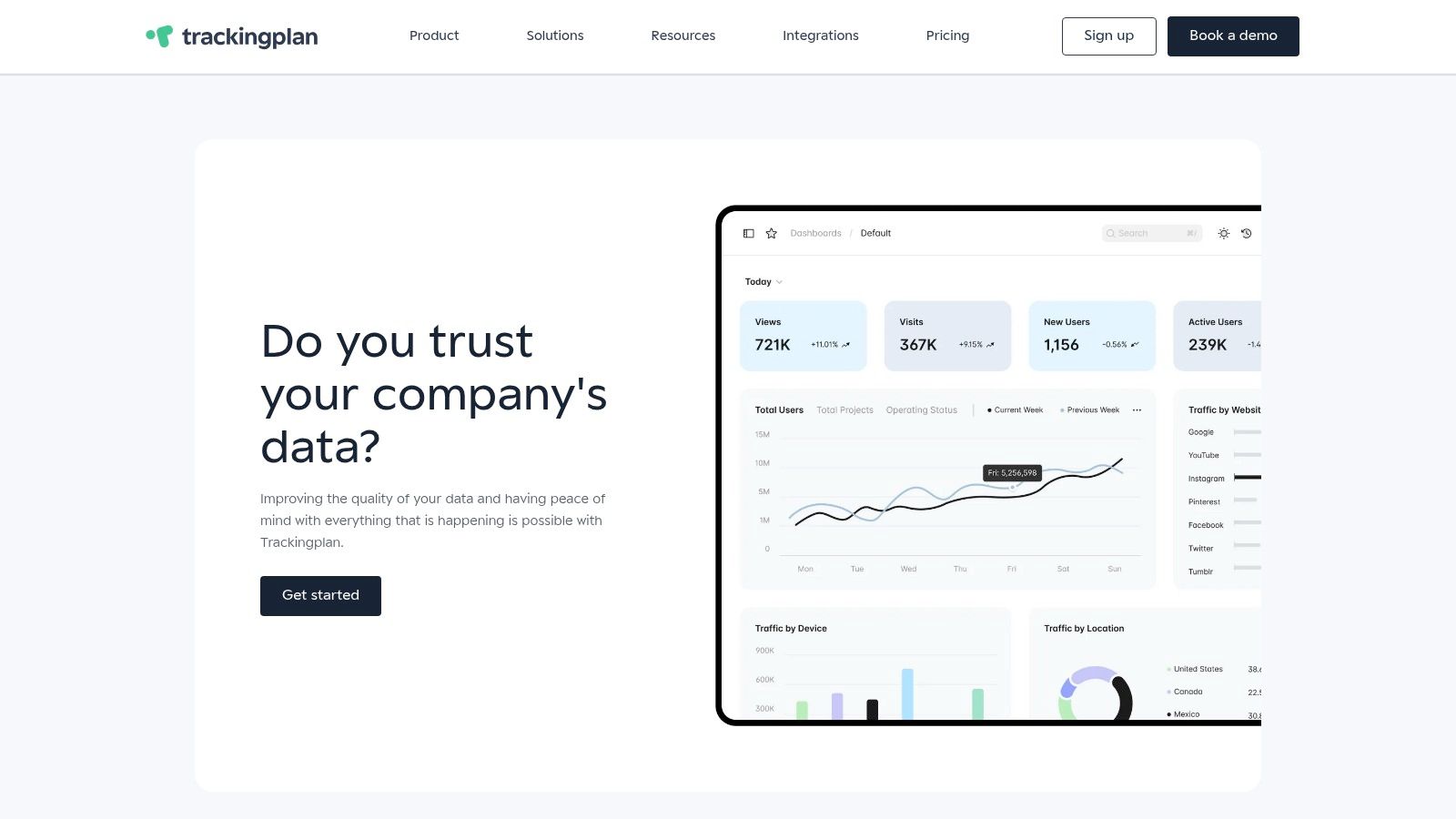
An observability platform becomes useful. One option is Trackingplan, which monitors dataLayer behavior, tags, pixels, campaign tagging, and destination delivery, then alerts teams about anomalies, missing events, schema mismatches, consent issues, and related problems across web, app, and server-side stacks. That changes the operating model from “debug after revenue reporting looks strange” to “catch the break near the moment it happens.”
The real ROI from monitoring is speed. Not just finding the issue, but finding it before the bidding system learns from bad inputs.
The operational advantage for agencies and in-house teams
This shift matters for both in-house marketers and agencies. The in-house team gets fewer reporting surprises. The agency avoids spending half a strategy call proving that the tags broke during a website release.
If you manage media and need support on the campaign side as well, a partner with Expert Google Ads Management Services can help align bidding, structure, and measurement review. That’s useful when the issue is partly technical and partly strategic.
The larger point is simpler. Measurement quality is not a one-time project. It’s an ongoing operational risk. If your process depends on somebody noticing a problem in a dashboard after the fact, you’ll keep finding issues late.
The strongest teams treat conversion tracking like infrastructure. They document it. They validate it after releases. They compare it against backend truth. And they automate monitoring wherever manual review is too slow or too fragile.
If your team is tired of discovering broken conversion data after ad spend has already gone out the door, Trackingplan is worth evaluating. It gives marketers, analysts, and developers a way to monitor tags, pixels, dataLayer changes, consent issues, and attribution risks continuously, so Google Ads tracking problems get caught earlier and fixed with less guesswork.